
Download Free Mp3 Wma Converter – Audio Conversion Tool, MP3, WMA, AAC, OGG, WAV
Overview
Free Mp3 Wma Converter is a mobile application designed to simplify the process of converting audio files across multiple formats. Its primary purpose is to allow users to transform audio content from one standard format to another with minimal effort. The app supports a wide range of audio types, including MP3, WMA, AAC, OGG, and WAV, making it a versatile utility for individuals who manage diverse audio libraries. It addresses the common challenge of format incompatibility across devices and platforms, particularly when transferring music between smartphones, media players, or computers.
Target users include casual listeners, content creators, and anyone who frequently handles audio files and requires a reliable, no-frills conversion tool. The app’s straightforward design suggests it is optimized for users who value efficiency over complex customization. While the developer’s background is not detailed in the provided information, the application’s long-standing presence—released on June 3, 2010—indicates a history of consistent functionality and user demand.
Real-world use cases include preparing music for playback on older devices that only support WMA, converting large WAV files into smaller MP3s for mobile storage, or adjusting audio metadata for better organization. In the broader app ecosystem, Free Mp3 Wma Converter fills a niche as a lightweight, focused utility that complements more comprehensive media management tools.
Key Features & Functionality
- Multiple Format Support: The app supports conversion between MP3, WMA, AAC, OGG, and WAV formats. This broad compatibility ensures users can adapt their audio files for use on a wide range of devices and platforms, from legacy systems to modern smartphones.
- Customizable Output Quality: Users can adjust the output quality of converted files, allowing them to balance file size and audio clarity. This feature is particularly beneficial for users with limited storage space or those who prioritize sound fidelity.
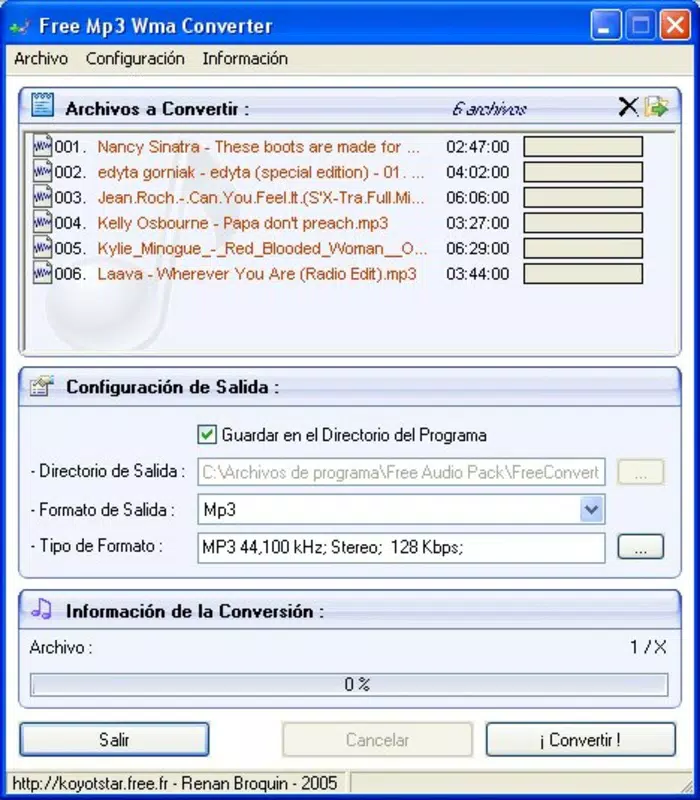
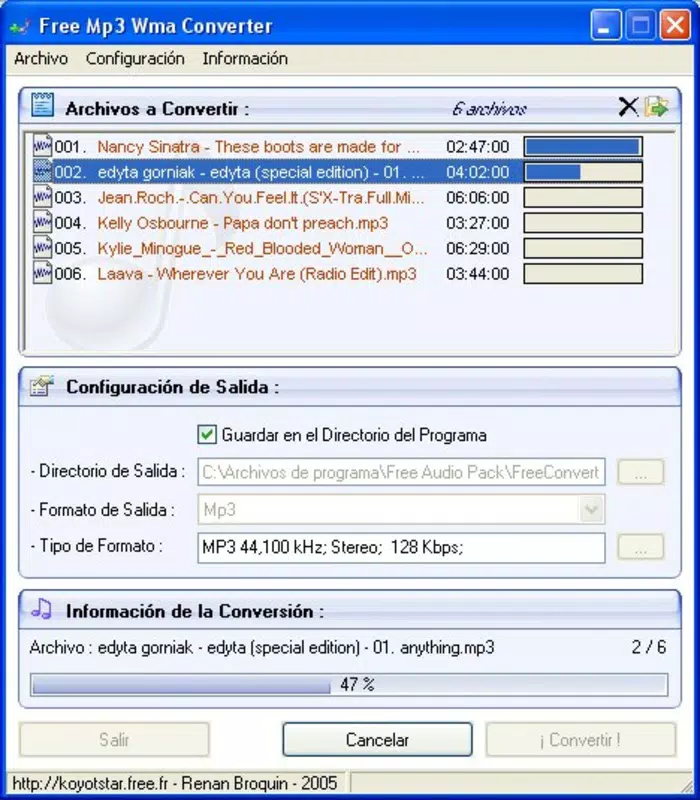
- Simple Conversion Process: The workflow is designed for ease of use: select the source file, choose the target format, and specify the output folder. This streamlined approach minimizes user friction and is ideal for individuals without technical expertise.
- Advanced Audio Settings (MP3 Only): For MP3 output, users can modify audio frequency, select stereo or mono channels, and apply various filters. These options cater to users who require fine-tuned audio output for specific applications.
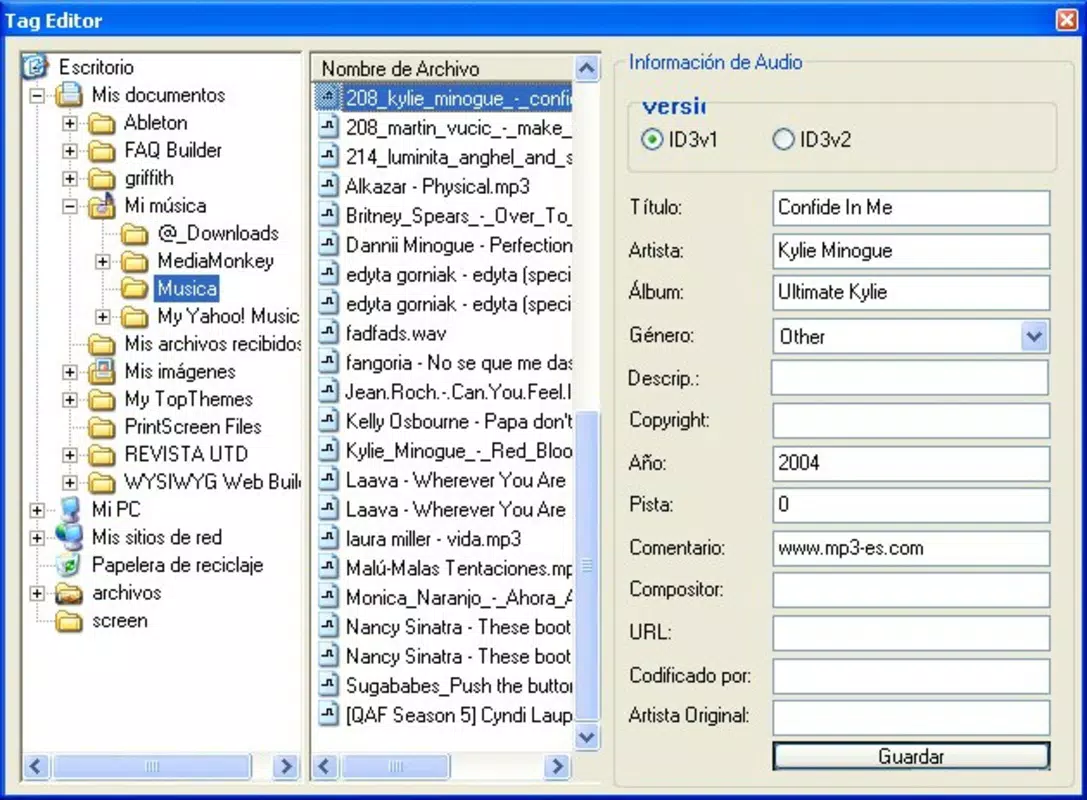
- Integrated Tag Editor: The app includes an embedded ID3v1 and ID3v2 tag editor, enabling users to edit metadata such as artist name, album title, track number, and genre directly within the application. This eliminates the need for third-party software to manage audio file information.
For example, a user could convert a WMA file from a digital library into MP3 format with optimized bitrate for smartphone storage, then update the track title and artist name using the built-in tag editor—all within a single workflow. Similarly, a content creator might use the advanced audio settings to prepare a podcast episode with consistent audio quality across multiple episodes.
Interface, UX & Performance
The user interface of Free Mp3 Wma Converter is designed with simplicity in mind, prioritizing accessibility over visual complexity. The layout appears to follow a linear, step-by-step structure, guiding users through the conversion process with minimal distractions. Navigation is likely intuitive, with clearly labeled buttons for file selection, format choice, and output destination.
Visual style is consistent with utility-focused applications—functional rather than flashy—emphasizing usability over aesthetic flair. The absence of cluttered menus or hidden settings suggests a deliberate design choice to reduce user confusion, especially for beginners.
Although the developer did not list formal performance metrics, the app’s long-standing presence and focus on core functionality indicate stability and reliability. It is expected to operate smoothly on a range of devices, from older smartphones to newer models, particularly given its lightweight nature. Responsiveness is likely adequate for typical conversion tasks, though heavy batch processing may depend on device capabilities.
Performance consistency across different device categories cannot be confirmed without technical specifications. However, the app’s design philosophy implies optimization for efficient operation, even on devices with limited processing power or storage.
Platform Compatibility & Technical Requirements
Free Mp3 Wma Converter is available for Android and iOS platforms. The application is designed to function on devices running the specified operating systems, though exact OS versions are not provided. The file size is listed as 15.2 MB, which is relatively compact for a media conversion tool, suggesting efficient resource usage.
Specific requirements such as minimum RAM, processor type, or storage space were not disclosed. The developer did not specify minimum OS requirements, nor did they list compatibility details for tablets or other form factors. As such, users should exercise caution when installing on older or less common devices.
For users seeking the latest version, the app can be updated through official app stores. The release date of June 3, 2010, indicates a long history of availability, though recent updates have not been confirmed.
Pros and Cons
- Supports multiple audio formats including MP3, WMA, AAC, OGG, and WAV
- Simple, user-friendly interface ideal for beginners
- Customizable output quality for balancing file size and audio clarity
- Integrated ID3 tag editor for metadata management
- Advanced audio settings available for MP3 output
- Developer did not provide detailed technical specifications
- Compatibility with older devices may vary without clear requirements
- Advanced features are limited to MP3 output only
- Performance on low-end devices not confirmed
- No information on cloud integration or batch processing capabilities
FAQ
Is Free Mp3 Wma Converter safe to download and install?
The app is available through official app stores, which typically perform security checks. However, users should ensure they download from verified sources to avoid unauthorized versions.
Can I convert multiple files at once?
While the provided information does not confirm batch processing, the app’s streamlined workflow suggests it may support multiple file selection during a single conversion session.
Does the app require internet access?
Conversion tasks are likely performed locally on the device, so internet access is not required for basic functionality.
Is the app free to use?
Yes, the app is offered at no cost, though specific in-app purchases or ads were not mentioned in the provided details.
Can I use this app on both Android and iOS?
Yes, the app is available on both Android and iOS platforms, though compatibility with specific device models or OS versions was not fully disclosed.
Final Thoughts
Free Mp3 Wma Converter stands out as a dependable utility for users seeking a no-nonsense audio conversion solution. Its ability to handle multiple formats, coupled with customizable output and built-in tag editing, makes it a practical tool for both casual users and those with moderate technical needs. The app’s enduring presence since 2010 speaks to its reliability and continued relevance in a competitive digital landscape.
While it lacks modern features like cloud sync or AI-enhanced audio processing, its core functionality remains solid and focused. Users who prioritize simplicity, efficiency, and direct control over their audio files will find value in this tool.
For anyone needing to convert audio files on their smartphone without the complexity of professional software, Free Mp3 Wma Converter delivers a straightforward, effective solution.
Download Free Mp3 Wma Converter now


